Android’s security model is built around isolation. Every app runs inside its own sandbox with limited access to the system, and permissions act as controlled exceptions to those limits. The model is strong, but it depends heavily on how apps are built and how users respond to permission requests.
When people talk about Android security, permissions usually get most of the attention. Camera access, contacts access, microphone access — those prompts are visible, so they feel like the center of Android security.
What interests me more is the layer underneath those prompts. Android’s real defensive structure starts before permissions even appear. The operating system was designed so apps are separated from each other by default, almost like each app lives inside its own locked workspace.
That design choice matters because it changes how attacks spread. A malicious app does not automatically gain access to everything on the device just because it gets installed.
Takeaways
- Android isolates apps using Linux user separation and sandboxing.
- Permissions are exceptions to isolation, not the foundation itself.
- Apps normally cannot read each other’s data directly.
- Security weakens when apps request excessive permissions or expose unsafe interfaces.
Android Security Starts With Process Isolation
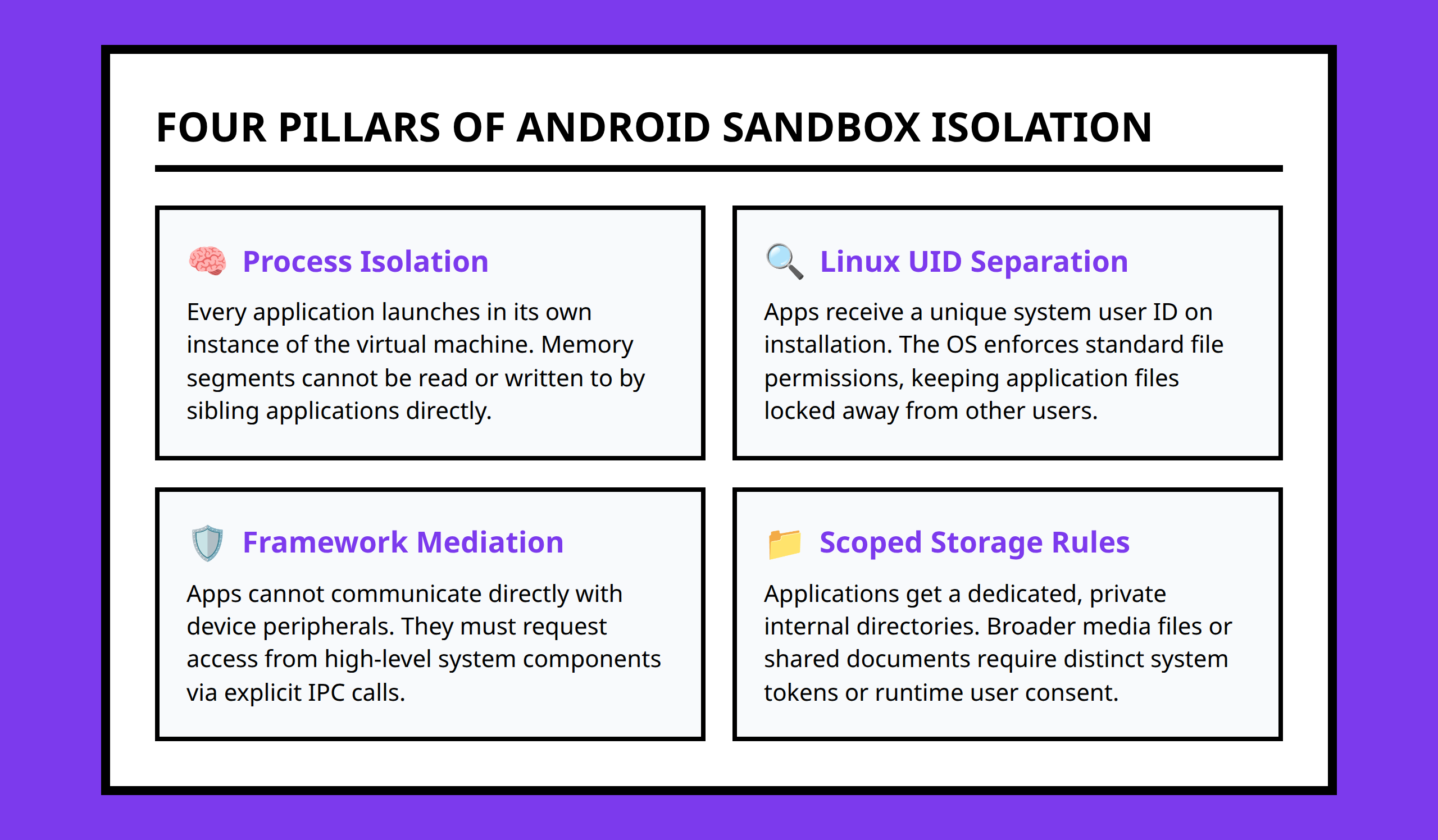
Android’s application model is heavily tied to Linux security principles.
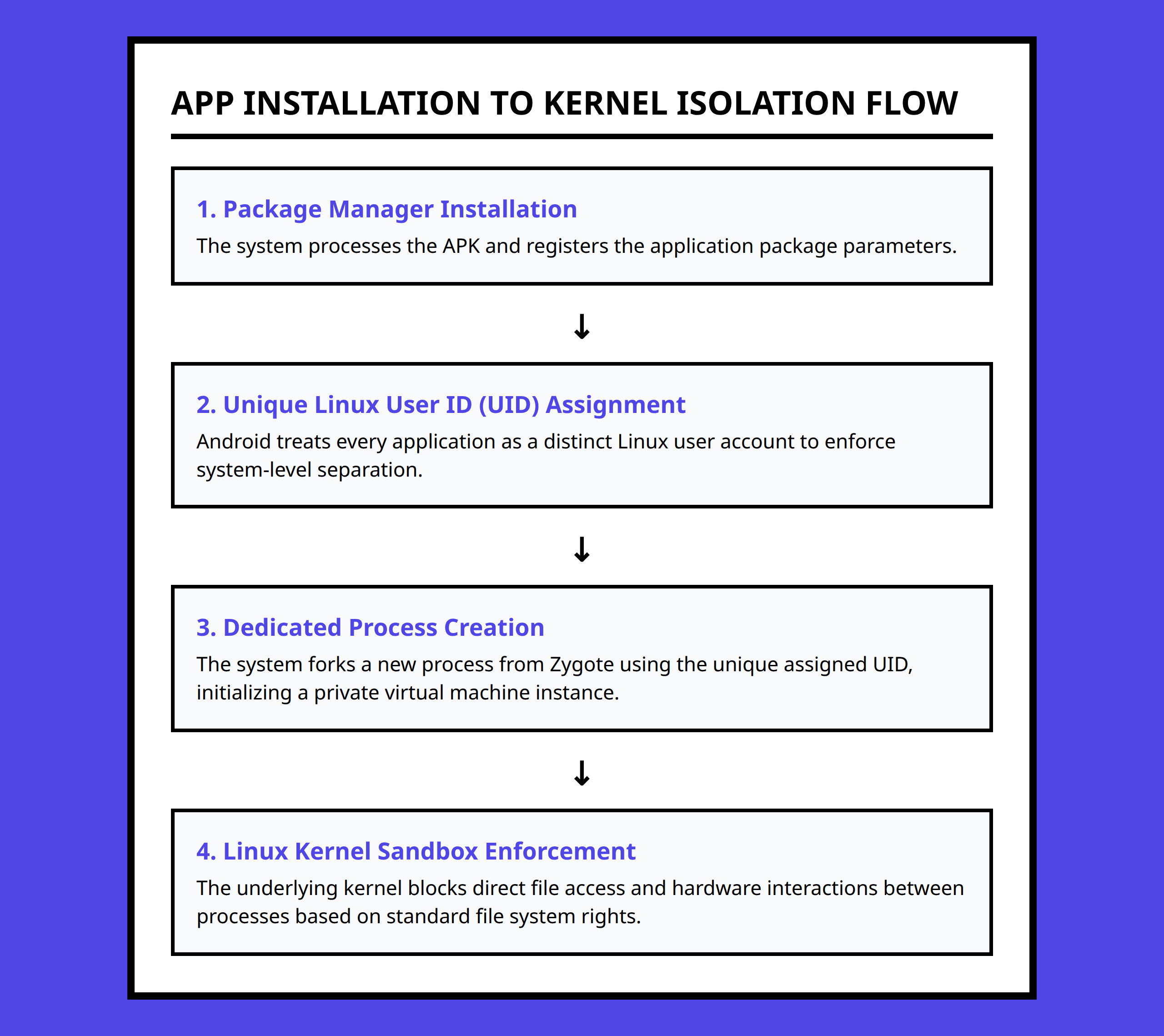
At a low level, Android assigns each application its own user identity inside the operating system. That means applications usually run as separate Linux users instead of sharing the same access rights.
This matters more than many people realize.
If two applications run under different user identities, they are separated by file permissions and process boundaries enforced by the kernel itself. One app normally cannot open another app’s private files, inspect its memory, or interfere with its execution directly.
I think this is one reason Android’s security model aged relatively well compared to older mobile systems. Isolation was not added later as an optional feature. It was part of the core design.
A simple way to picture it is to imagine an apartment building where every tenant has separate keys and locked storage. Even if one apartment becomes unsafe, the attacker still has to break through additional doors to reach neighboring units.
The Sandbox Exists Before Permissions Do
Permissions often get described as the main security feature in Android, but that framing misses something important.
The sandbox comes first.
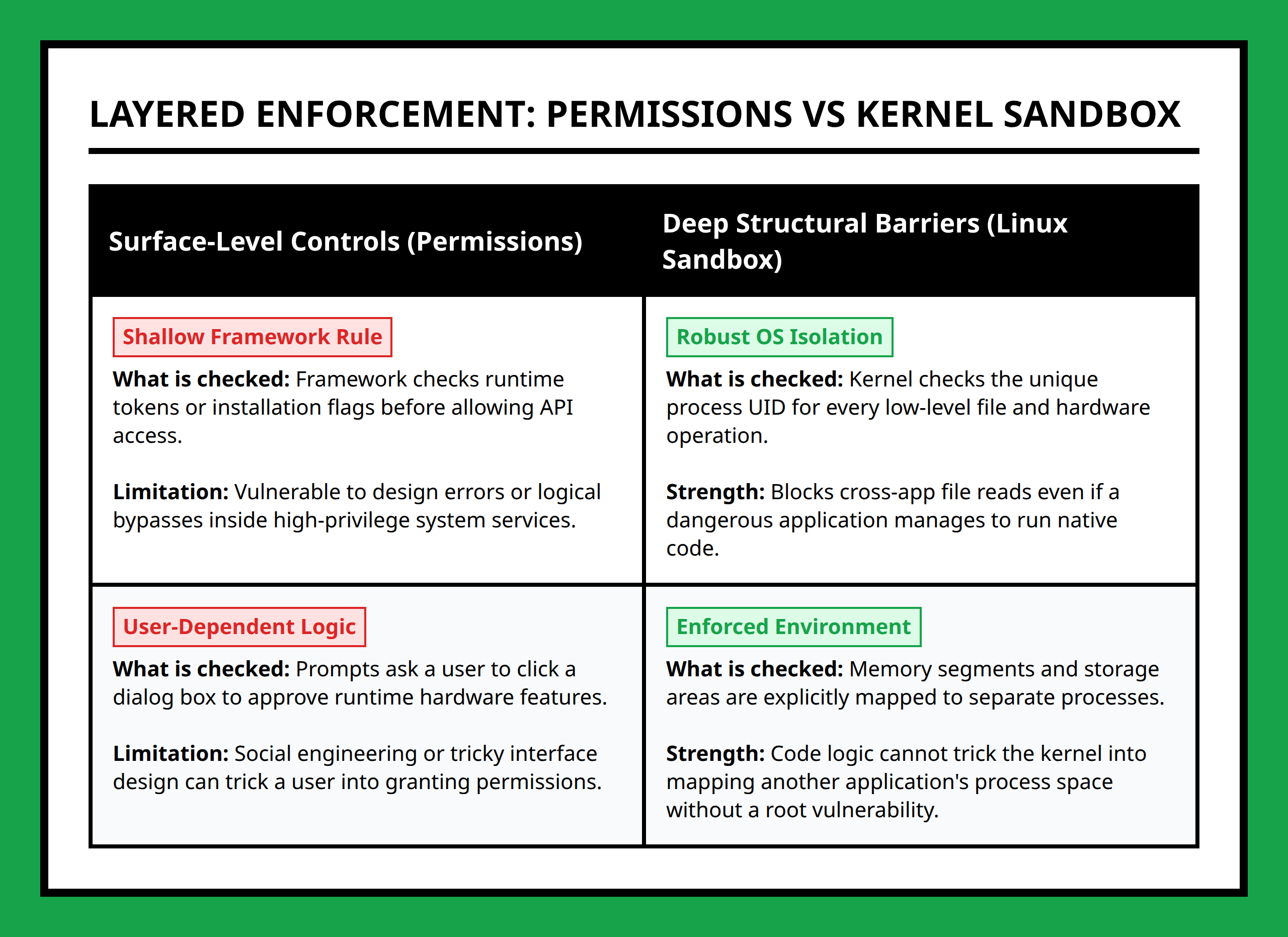
Without permissions, an Android app already starts with limited access. It can execute its own code, store its own files, and interact with resources specifically assigned to it. Outside that boundary, access is restricted unless the operating system explicitly allows more.
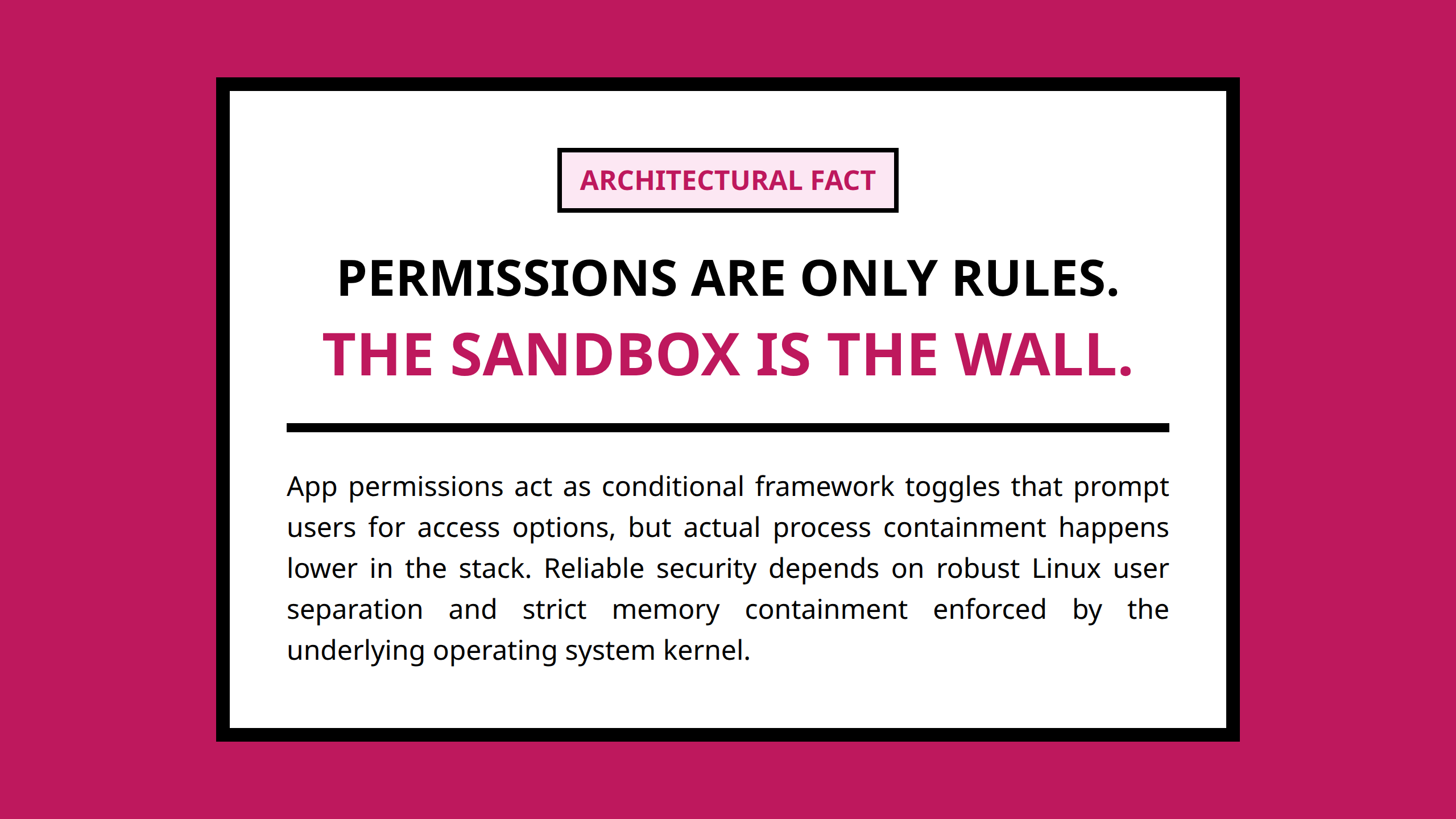
Permissions act as controlled expansions of capability.
For example:
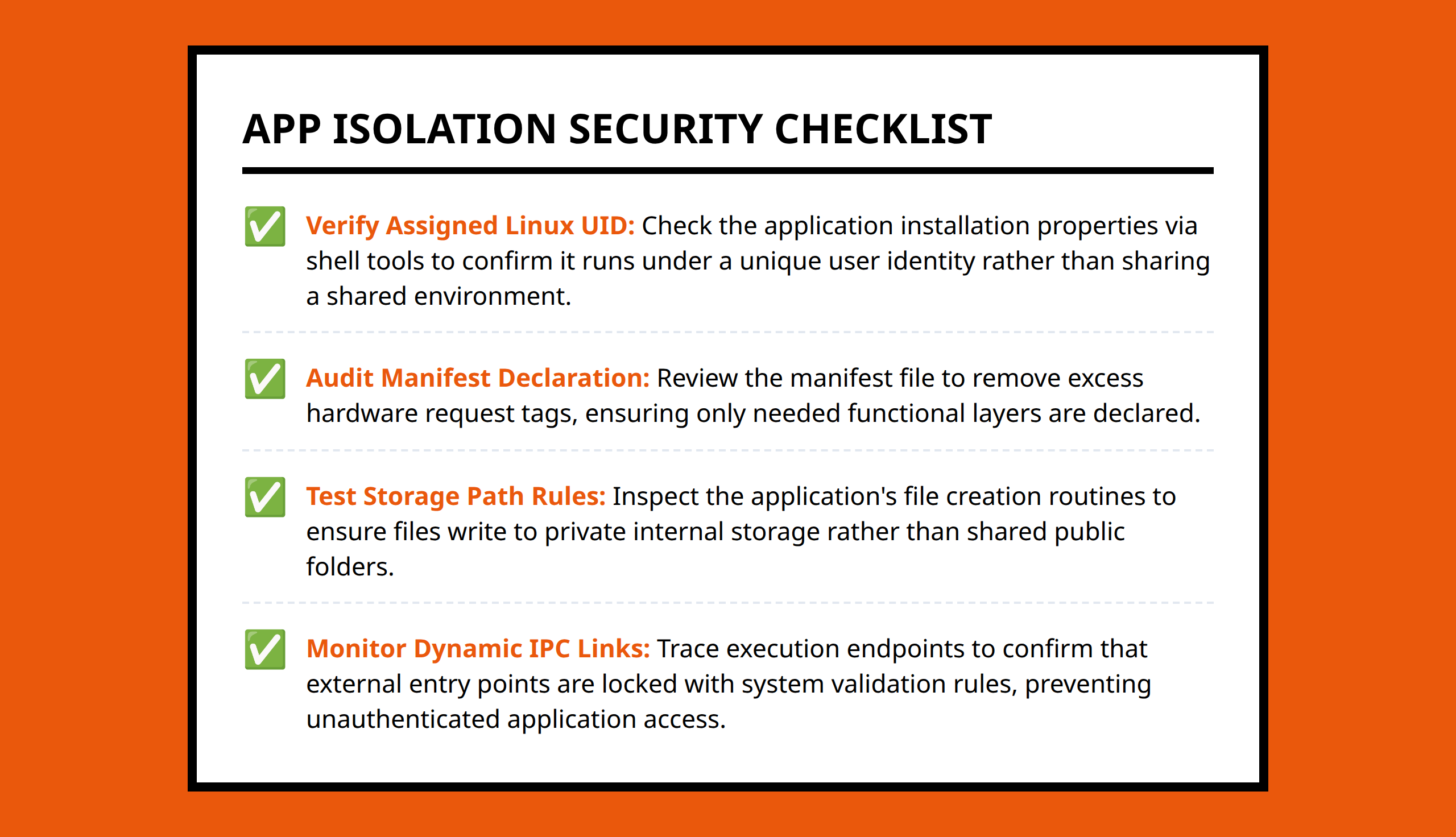
- Accessing the camera requires camera permissions.
- Reading contacts requires contact permissions.
- Using location data requires location permissions.
What I find useful about this model is that Android does not assume trust automatically. The system starts from restriction and then selectively opens pathways when permissions are granted.
That is very different from systems where applications historically received broad access once installed.
Permissions Are Only as Safe as Their Implementation
The permission system sounds clean in theory, but practical security depends heavily on implementation details.
An application can technically follow Android’s permission rules while still creating security problems through poor design choices.
For example, an app may request more permissions than it truly needs. Another app may expose an insecure interface that accidentally leaks protected information to other applications.
This is where Android’s layered security approach becomes important.
The sandbox limits direct access between applications, but permissions create bridges across those boundaries. Every bridge increases complexity.
I usually become cautious when an app asks for permissions that do not match its actual purpose.
A flashlight app requesting contact access feels suspicious because the requested capability does not align with the app’s core function. That mismatch does not automatically prove malicious intent, but it changes how I evaluate trust.
Android’s model works best when permission requests stay narrow and understandable.
The Kernel Quietly Enforces Most of the Separation
One thing many casual Android discussions skip is the role of the Linux kernel.
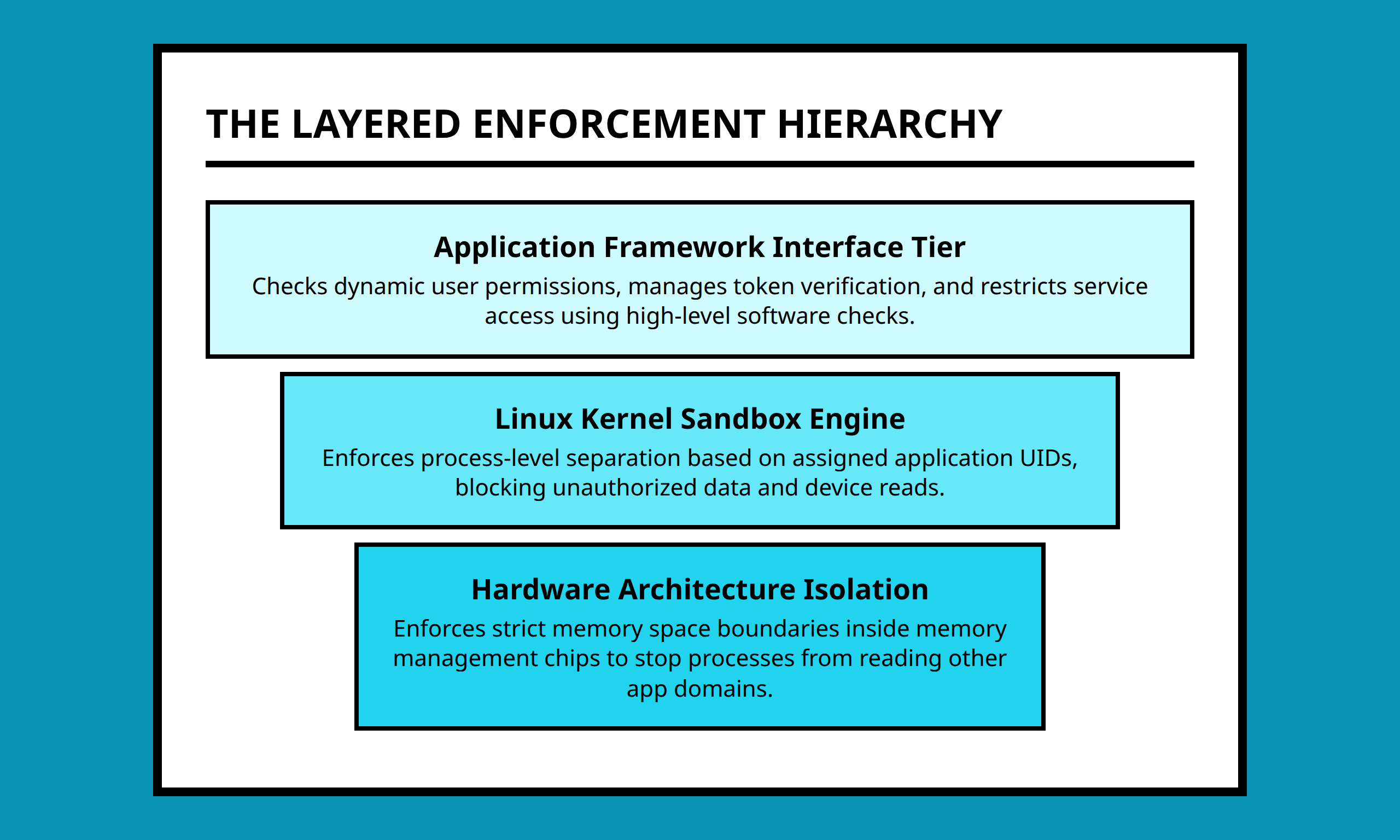
The Android framework and application layer may feel like the visible parts of the operating system, but the kernel performs much of the actual enforcement work underneath.
The kernel controls:
- Process separation
- User identity enforcement
- File access rules
- Memory isolation
- System-level resource control
This matters because security boundaries become harder to bypass when they are enforced at lower levels of the operating system.
If a malicious application wants to escape its sandbox completely, it usually needs more than a normal permission mistake. It often requires a deeper vulnerability that breaks kernel protections or abuses privileged system components.
That layered structure is one reason Android attacks frequently focus on privilege escalation vulnerabilities. Attackers often need a second step that moves beyond ordinary app-level restrictions.
Inter-Process Communication Creates Necessary Exceptions
Android applications are isolated by default, but they still need ways to communicate.
Otherwise basic smartphone behavior would break.
A photo-sharing app needs to open the camera. A mapping app may need location services. A browser may hand a downloaded file to another application.
Android handles this through controlled communication mechanisms between applications and system services.
This is where the security model becomes more nuanced.
Strict isolation alone would make smartphones unusable. Android instead tries to balance isolation with controlled interaction.
I think this is where many real-world security mistakes happen. The safest systems are often the least convenient, while the most convenient systems create more pathways that attackers can explore.
A common real-life situation looks something like this:
A developer builds an app quickly and exposes a component so another app can interact with it. The feature works perfectly during testing. Months later, someone realizes the component accepts requests from unexpected sources because permission checks were incomplete.
The sandbox itself may still work correctly, but unsafe communication paths weaken the overall security model.
User Decisions Become Part of the Security System
Android’s permission model also assumes users make reasonable trust decisions.
That assumption is imperfect because many users approve permission requests automatically without evaluating them carefully.
I understand why this happens. Modern apps ask for many permissions, and repeated prompts train people to tap “Allow” quickly just to continue using the app.
But from a security perspective, permission approval changes the attack surface.
Once permissions are granted, the application gains legitimate access to protected resources. The operating system may still isolate the app from other applications, but sensitive data inside the granted scope becomes reachable.
This is why Android security cannot rely entirely on technical enforcement. Human behavior becomes part of the trust model too.
Android Security Works Best as a Layered System
The strongest part of Android’s design is not any single feature. It is the combination of multiple defensive layers working together.
The sandbox limits default access. Linux user separation isolates applications. Permissions create controlled exceptions. The kernel enforces low-level restrictions. System services mediate sensitive operations.
Each layer assumes another layer might fail.
I think that mindset is what makes the architecture interesting. Android security was not designed around perfect trust. It was designed around containment.
That distinction changes how I evaluate app security problems.
When I look at an Android application, I do not only ask whether it requests dangerous permissions. I also want to know:
- Does the app expose unnecessary interfaces?
- Does it limit permissions carefully?
- Does its behavior match its permission requests?
- Does it rely too heavily on trust assumptions?
Those practical questions matter because Android’s architecture can reduce damage, but it cannot completely protect users from careless implementation choices or unsafe trust decisions.
- Sandbox: A restricted environment that limits what an application can access or control.
- Linux kernel: The low-level core of Android that manages hardware access, memory, processes, and security enforcement.
- Permission: A rule that allows an Android app to access protected system features or user data.
- Process isolation: A security method that keeps applications separated so they cannot directly interfere with each other.
- Privilege escalation: A type of attack where software gains higher system access than it should normally have.
- Inter-Process Communication (IPC): Methods that allow separate applications or services to exchange information safely.
- System service: A privileged Android component that provides controlled access to features such as location, media, or notifications.
- Application framework: The layer of Android that provides developers with tools and interfaces for building applications.
References:
- https://source.android.com/docs/security/app-sandbox
- https://www.reddit.com/r/privacy/comments/1geo29n/is_there_a_way_i_can_sandbox_for_lack_of_a_better/
- https://www.reddit.com/r/privacy/comments/1geo29n/is_there_a_way_i_can_sandbox_for_lack_of_a_better/lub6dym/
- https://www.reddit.com/r/privacy/comments/1geo29n/is_there_a_way_i_can_sandbox_for_lack_of_a_better/lubh5fs/
- https://www.reddit.com/r/AndroidQuestions/comments/1pwfnf3/android_apps_forcing_unnecessary_permissions_is_a/
- https://security.stackexchange.com/questions/253944/on-android-devices-is-data-from-one-app-sandboxed-from-all-the-other-apps-if-s
- https://arxiv.org/html/2601.00252v1
- https://medium.com/@bithowl/understanding-android-app-sandbox-how-apps-are-isolated-a17a7c224a7b
- https://mentormate.com/news/privacy-android-6-marshmallow-new-permissions-model/
- https://security.stackexchange.com/questions/83303/does-android-have-sufficient-app-sandboxing
- https://security.stackexchange.com/a/83310
- https://security.stackexchange.com/questions/83692/why-do-mobile-apps-have-fine-grained-permissions-while-desktop-apps-dont
- https://zimperium.com/glossary/sandboxing
- https://appsec-labs.com/attack-and-tests/android-sandbox-security/
- https://www.reddit.com/r/privacy/comments/1geo29n/is_there_a_way_i_can_sandbox_for_lack_of_a_better/lub9ury/
- https://security.stackexchange.com/a/253948
- https://help.quickbase.com/docs/sandbox-limitations-and-details